STRisker Release Notes // May 5, 2026
See what’s new in STRisker: Facebook and LinkedIn in Signals; IG photos display; Updates in Kanban view; Gov Socials' inline post preview; improved view selector across app; Watchlist improved selection and 430+ market watchlists in Home; New Features and Status page added
Welcome to your roundup of the latest features and enhancements inside STRisker!
Here’s what’s new and improved to help you stay ahead of short-term and data center regulation changes.
Photo by Rob Wingate on Unsplash
At A Glance 🔽
- Facebook and LinkedIn are now full data feeds in Signals
- Instagram photos now display directly in the Signals feed
- Policy Updates now with Kanban-style Policy Pipeline board view
- Gov Socials now supports inline post previews for major platforms
- Topic filtering is now available across Podcasts, Tweets, and Writing
- Watchlist building is faster with state-wide selection and 430+ market watchlists on Home
- New Features page added
- New app status in Home
- 91 new locations added!
This is one of our most substantial releases to date, and we're excited for you to see what we've been building recently! Improvements landed across nearly every part of STRisker app so we want to make sure you catch all of it.
📡 Signals Just Got Bigger: Facebook and LinkedIn Are In
The Signals feed just got a lot more useful with Facebook and LinkedIn now fully functioning data feeds in Signals on par with Twitter, TikTok, and Instagram.
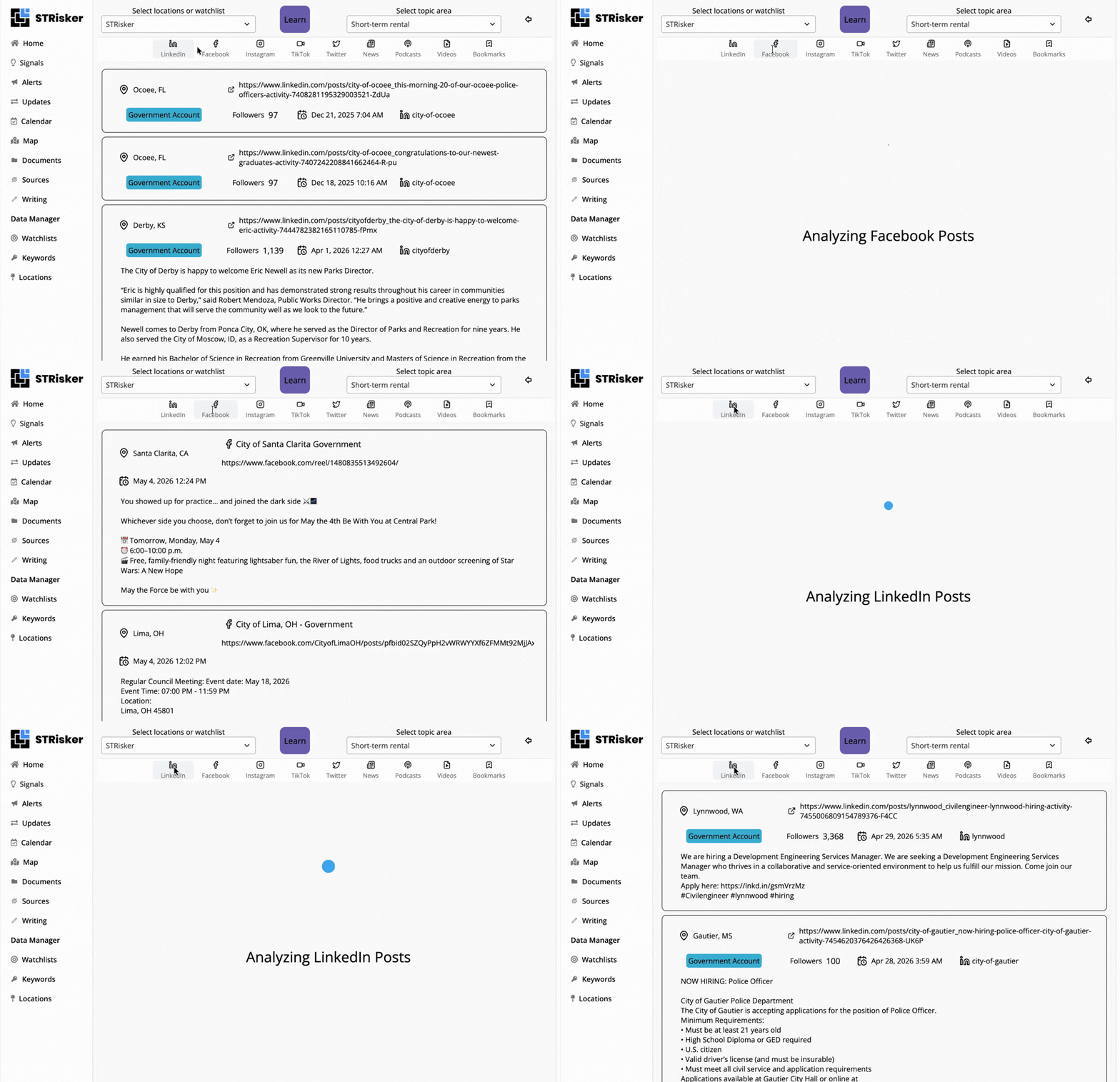
This means we're tracking tens of thousands of new posts a week from 5700+ local government Facebook accounts to help make sure you're getting all the regulatory context you need.
LinkedIn data from 3,800+ local government pages means more signals, more jurisdictions, and more coverage where it counts.
📸 Instagram Now Shows Photos
Still in Signals, Instagram photos now display directly in feed so when a local government or advocacy group posts about regulations, upcoming comment periods, or a community hearing, you see the full post right where you're already monitoring.
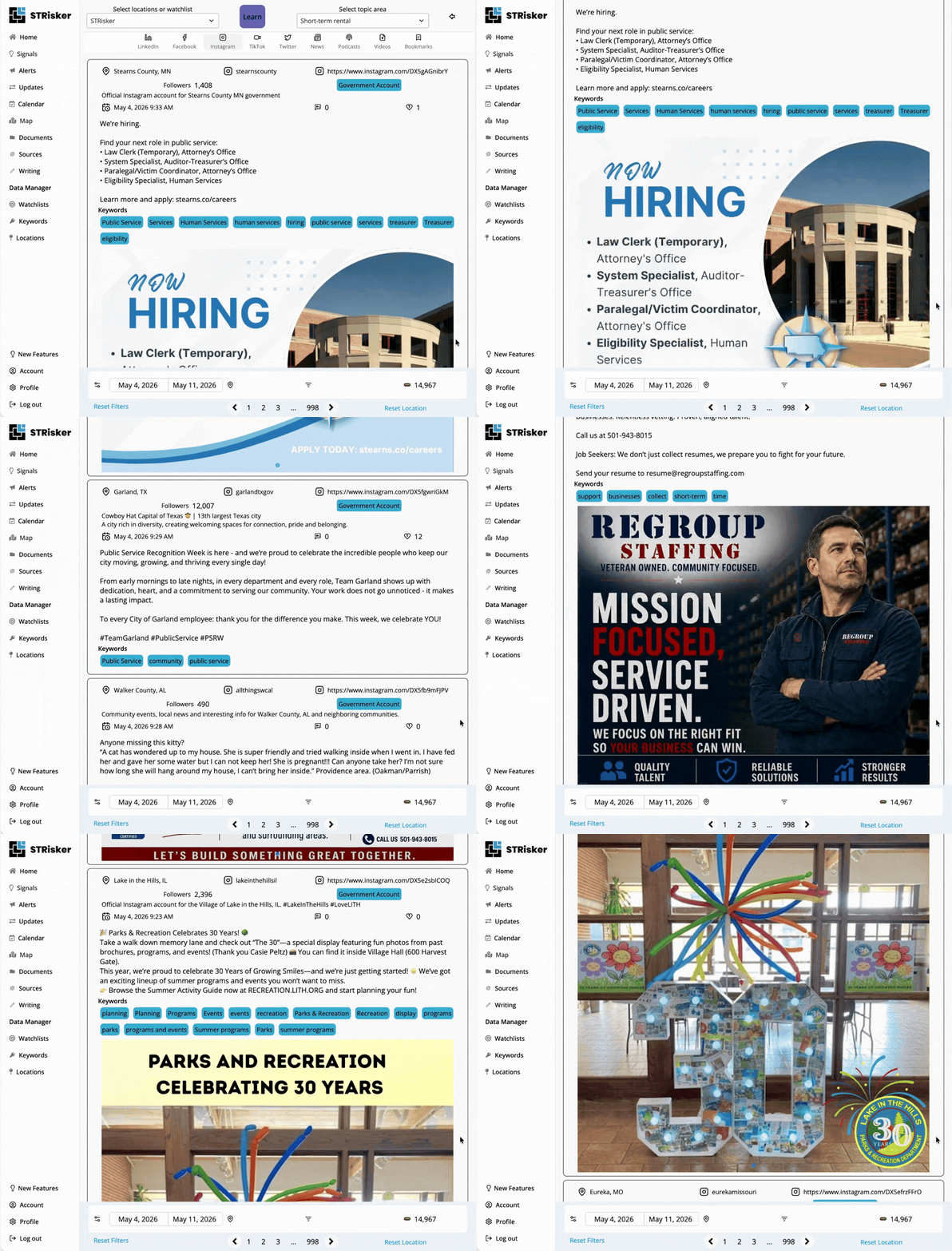
No more tab-switching just to see what an Instagram post actually says!
🗂️ Policy Movement on Kanban Board
Another recent changes is the option for you to jump to the Policy Pipeline view in Updates!
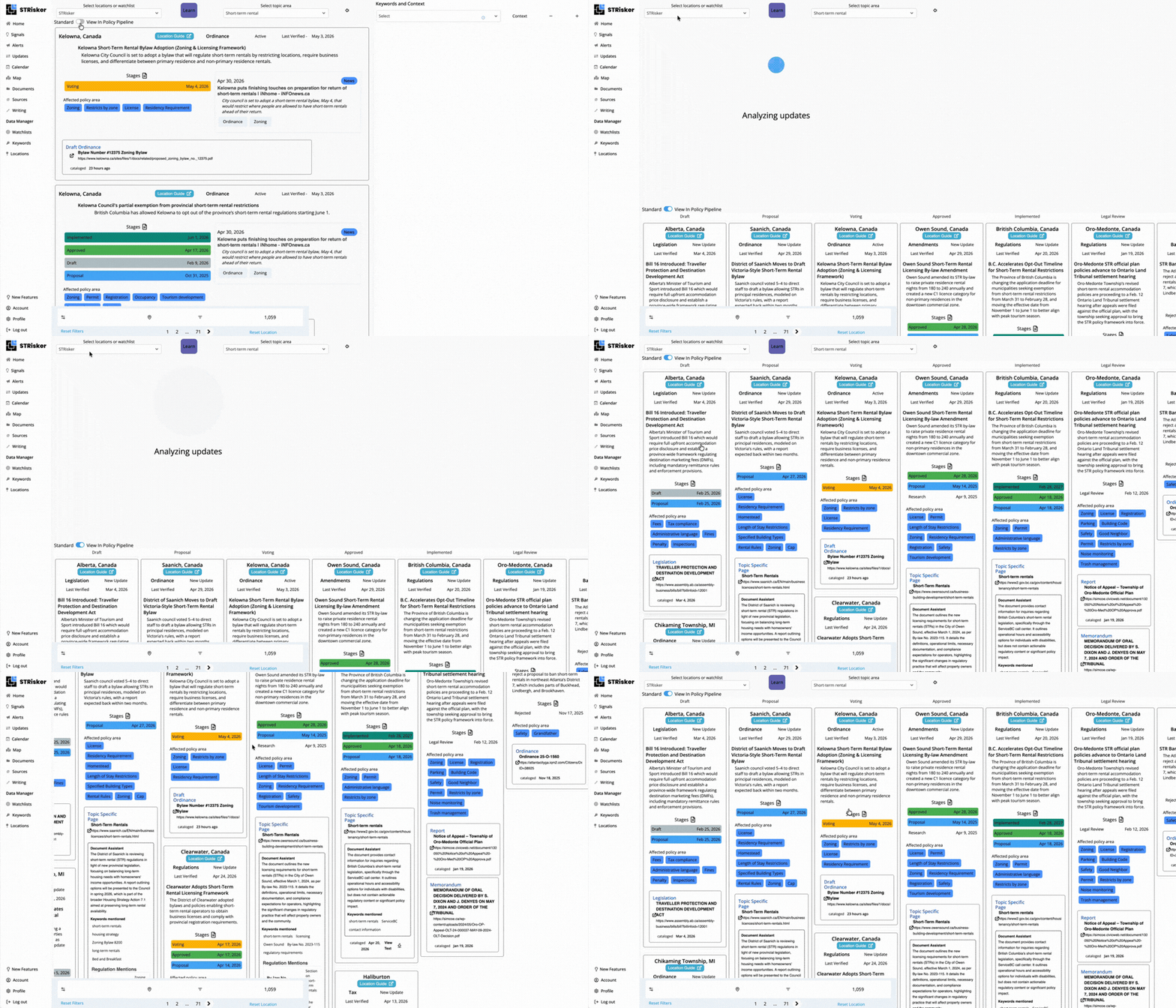
It opens a Kanban-style board where you can see exactly what stage each policy is at across every market you're watching.
If you've been doing this tracking of STR or data center policy movement across multiple locations, this makes your whole process a lot more manageable.
👥 Major Enhancements In Sources Feed
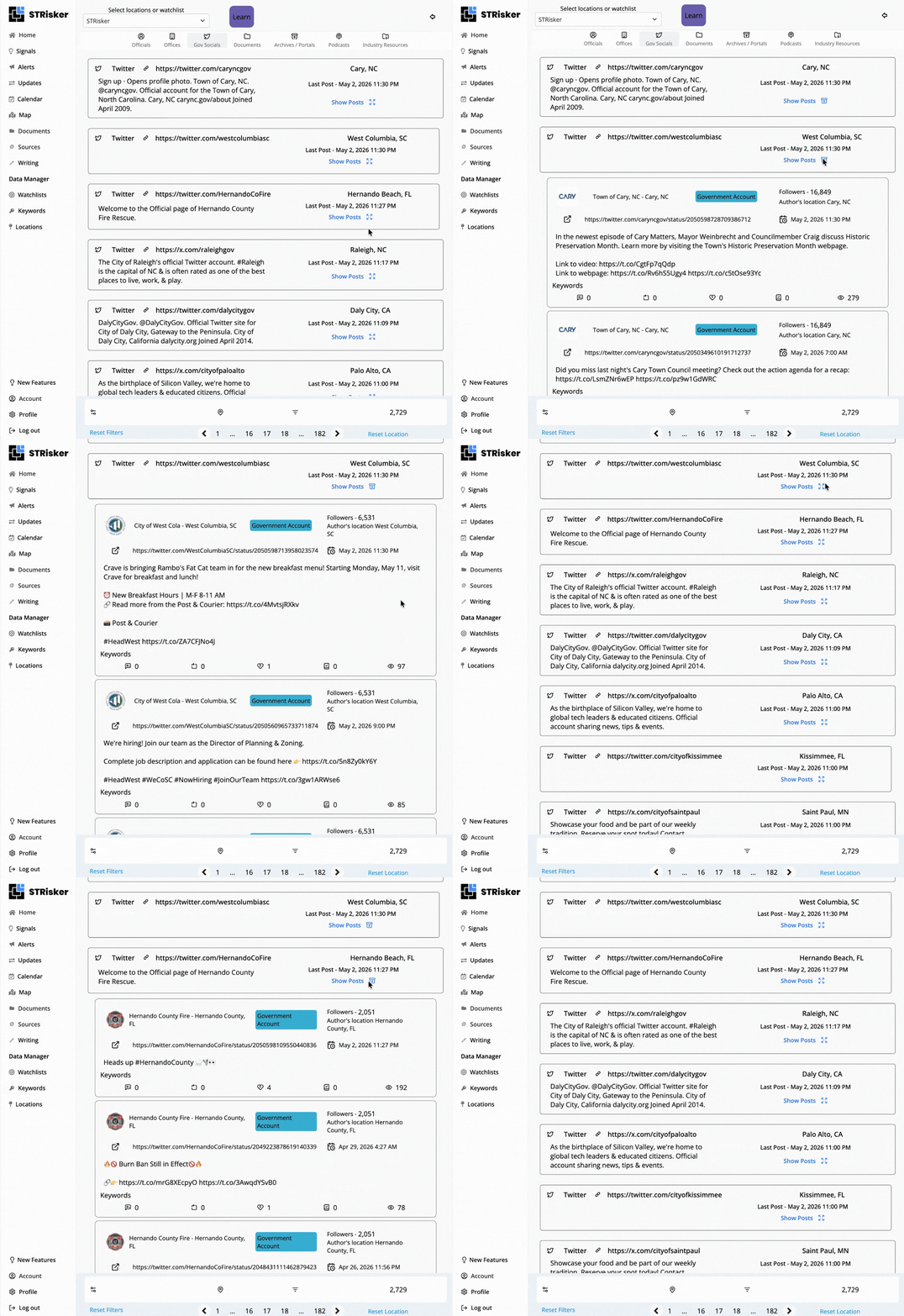
By clicking Show Post, you can now preview up to 10 recent posts per account directly in Gov Socials that spans Twitter, Facebook, Instagram, TikTok, and LinkedIn wherever posts are available.
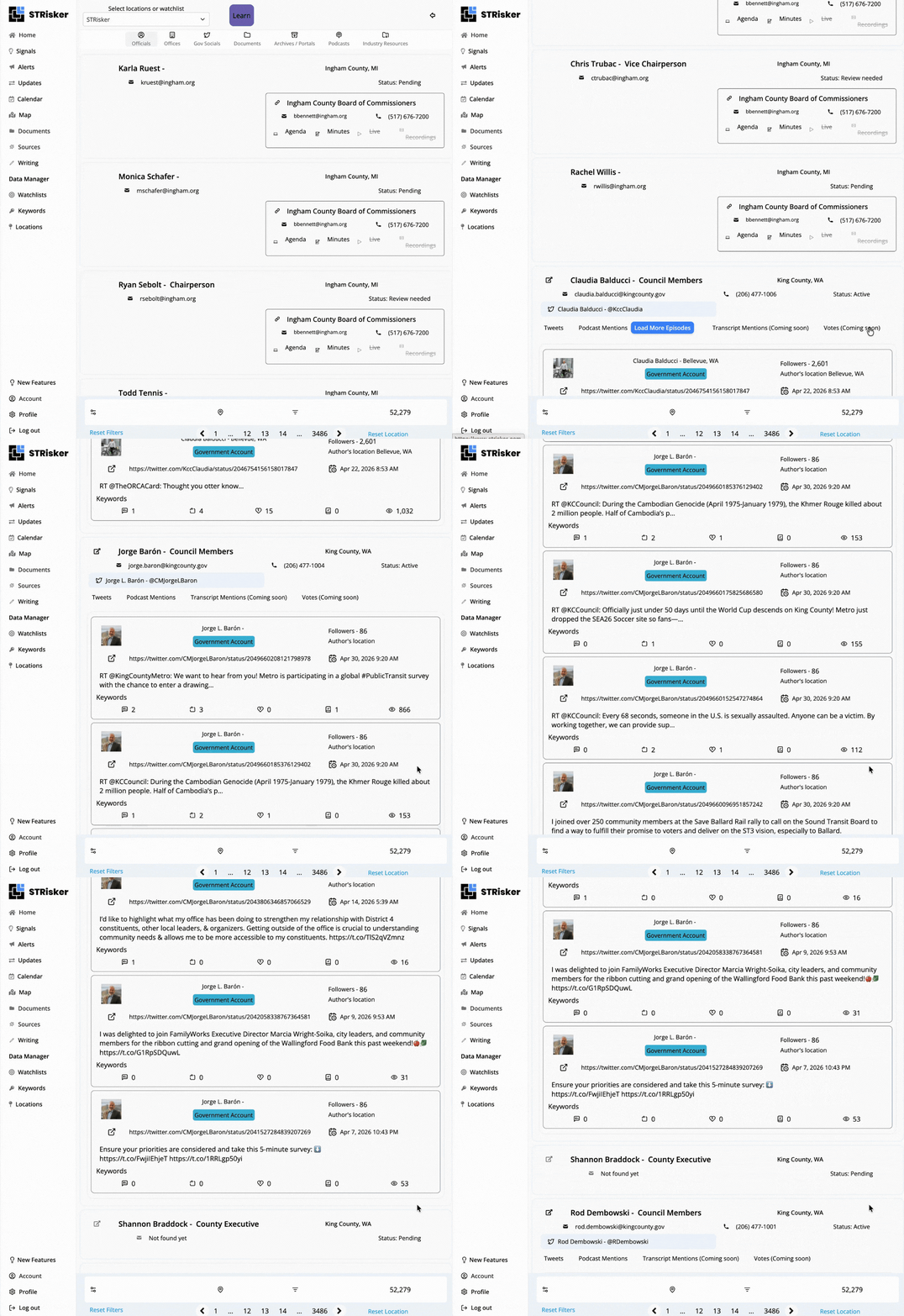
Gov Officials records also now surface Tweets and podcast mentions while "Transcript mentions" and "Votes" are on the way.
📊 More Functional View Selector Across the App
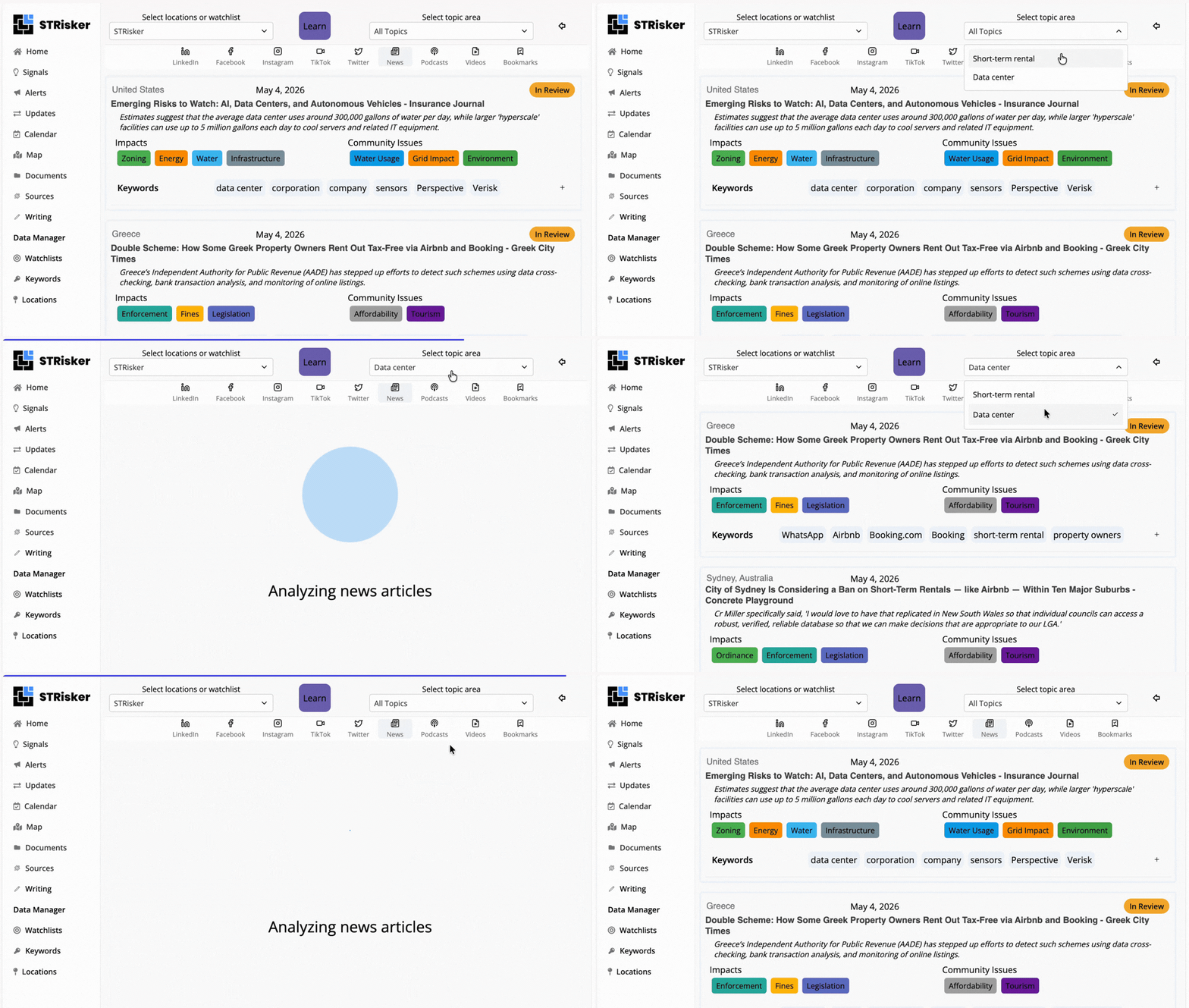
The Location/Topic view selector now supports topic filtering across Policy Updates, Signals, News, Tweets, and Writing. It's now easier to stay focused on the regulatory activity most important to you while also having the freedom to see what other topics are driving the conversation in your markets.
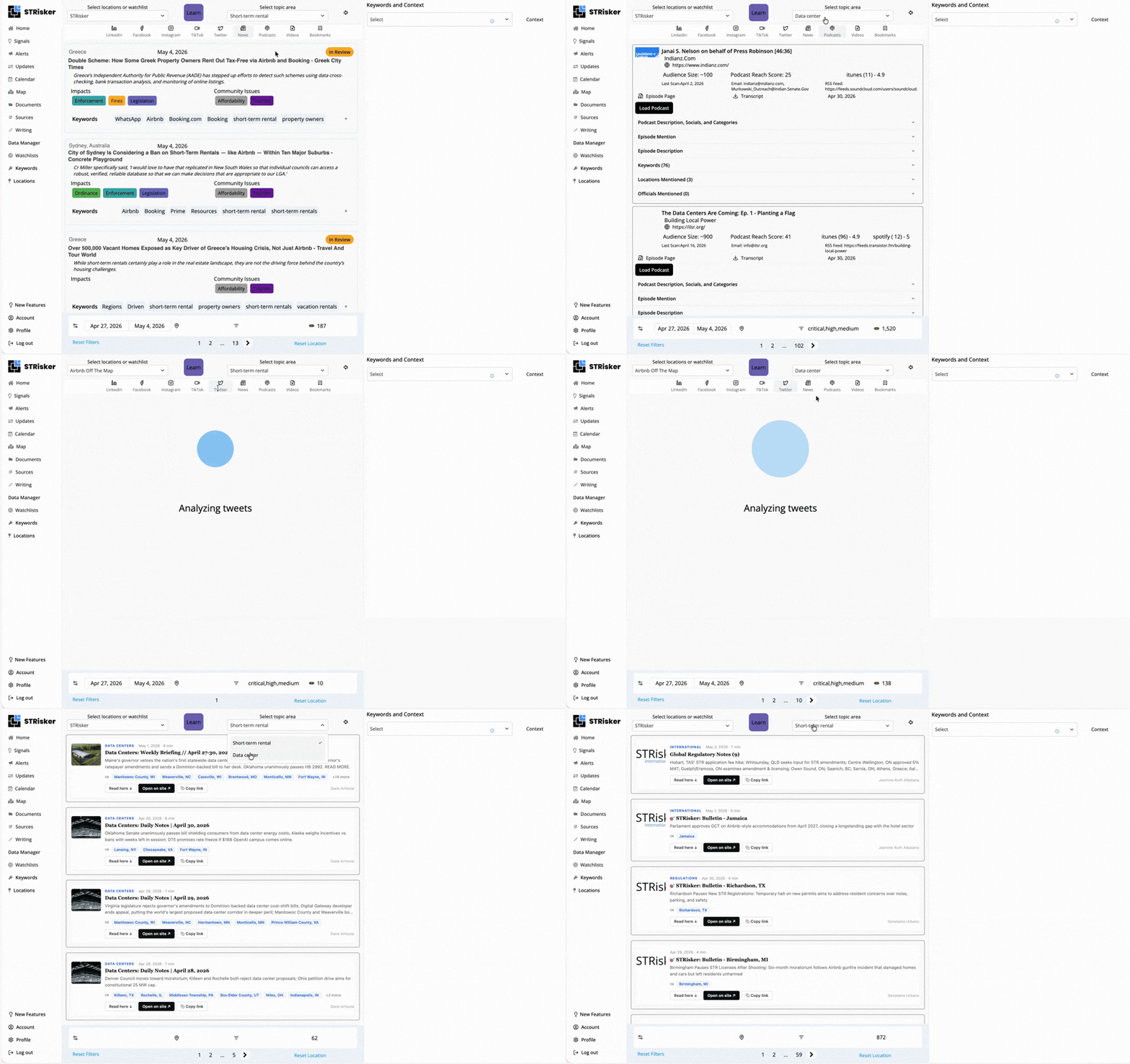
View selector is also now working in Sources to cover officials, offices, and government socials.
Simply leaving the selector blank will get you all results for that data type.
📋 Easier Coverage Management with Watchlist Updates
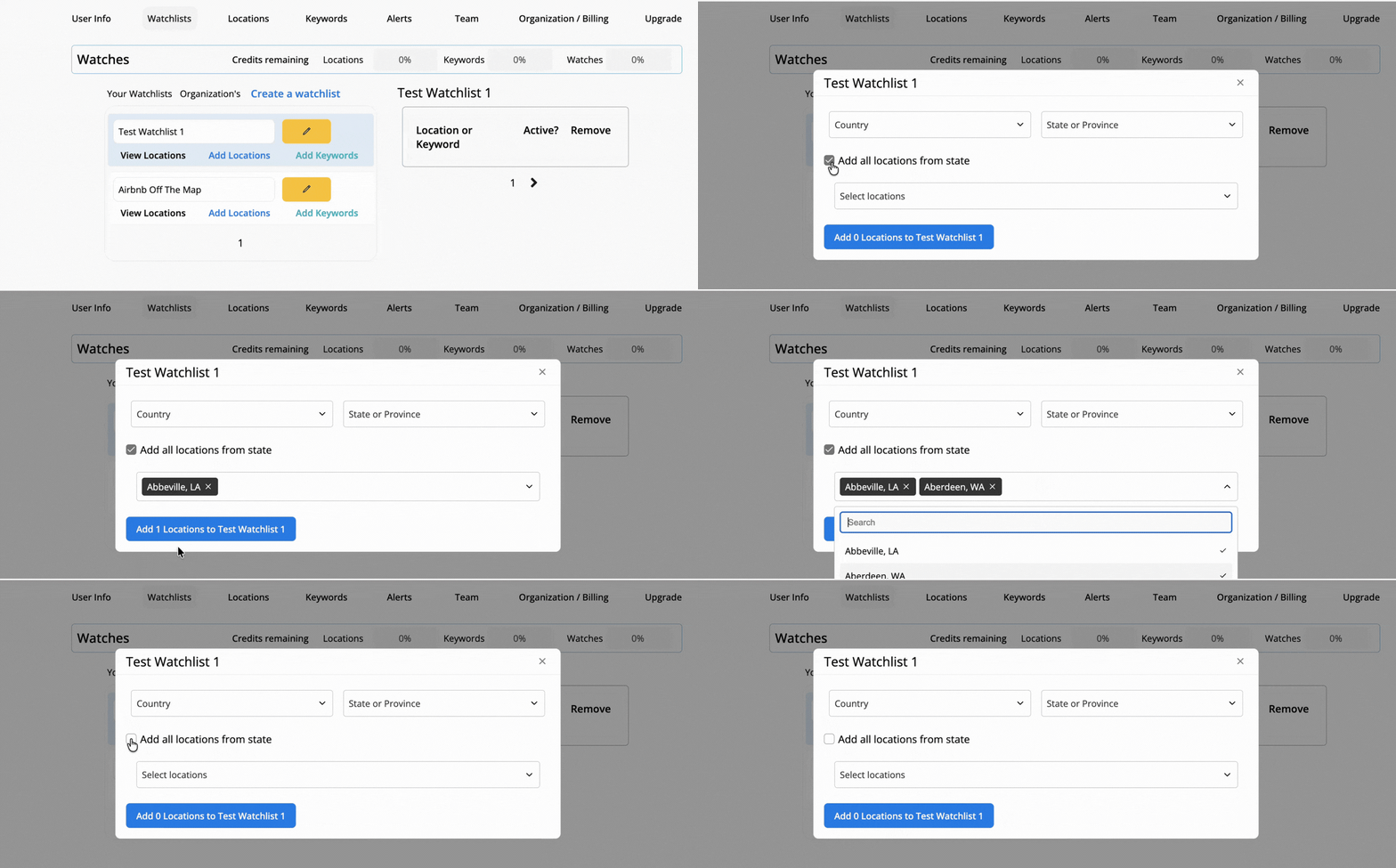
Instead of adding locations one by one, you can now select every location in a state all at once. The button updates in real time as you deselect locations and the form resets cleanly after each submission.
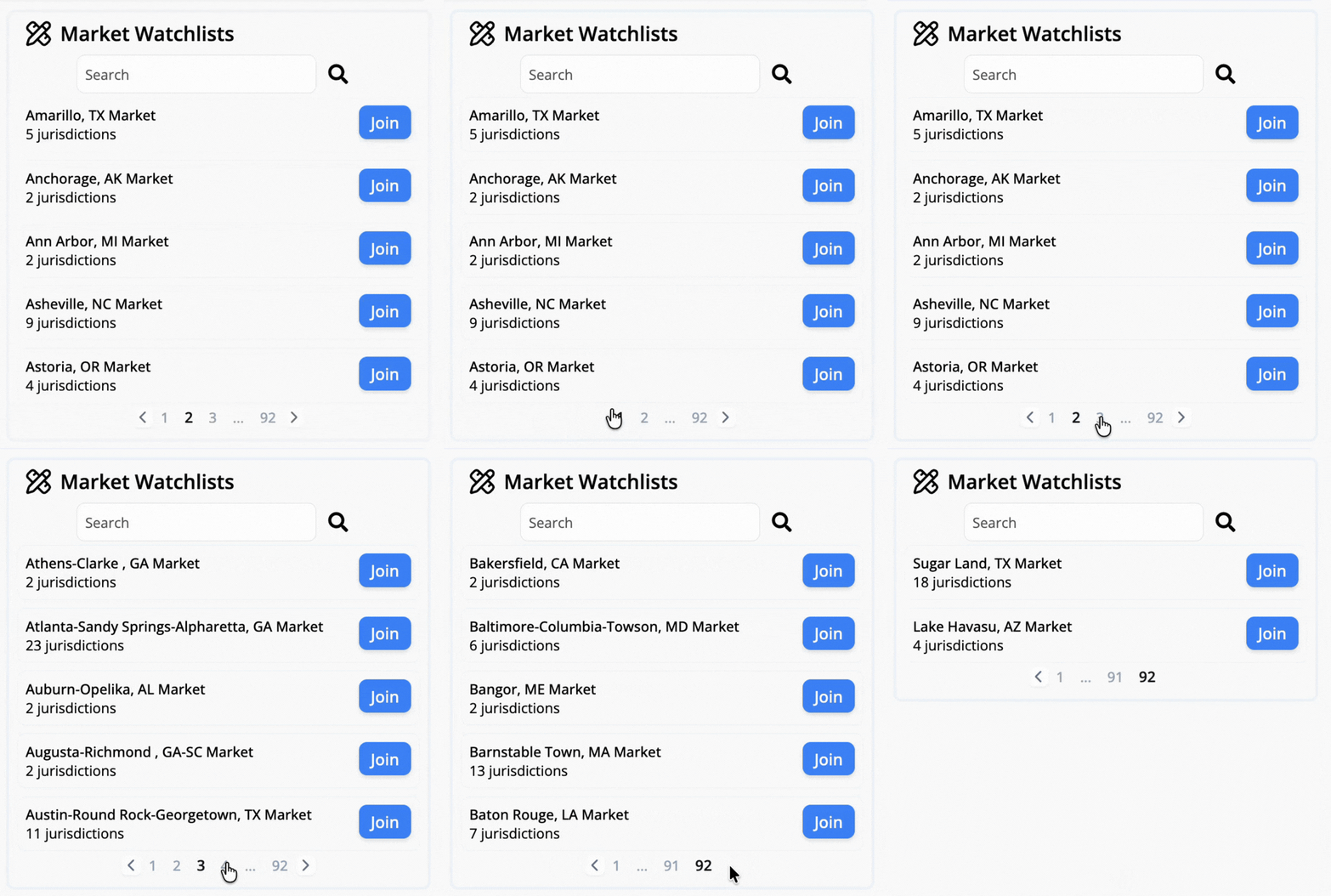
It's also now possible to join any of 430+ market watchlists directly through Home Page where each market covers every jurisdiction in a metro statistical area we monitor.
🌐 Stay on Top of STRisker's App Updates With the New Features Menu
STRisker now has a dedicated New Features page that surfaces key highlights and connects directly to the five most recent change logs.
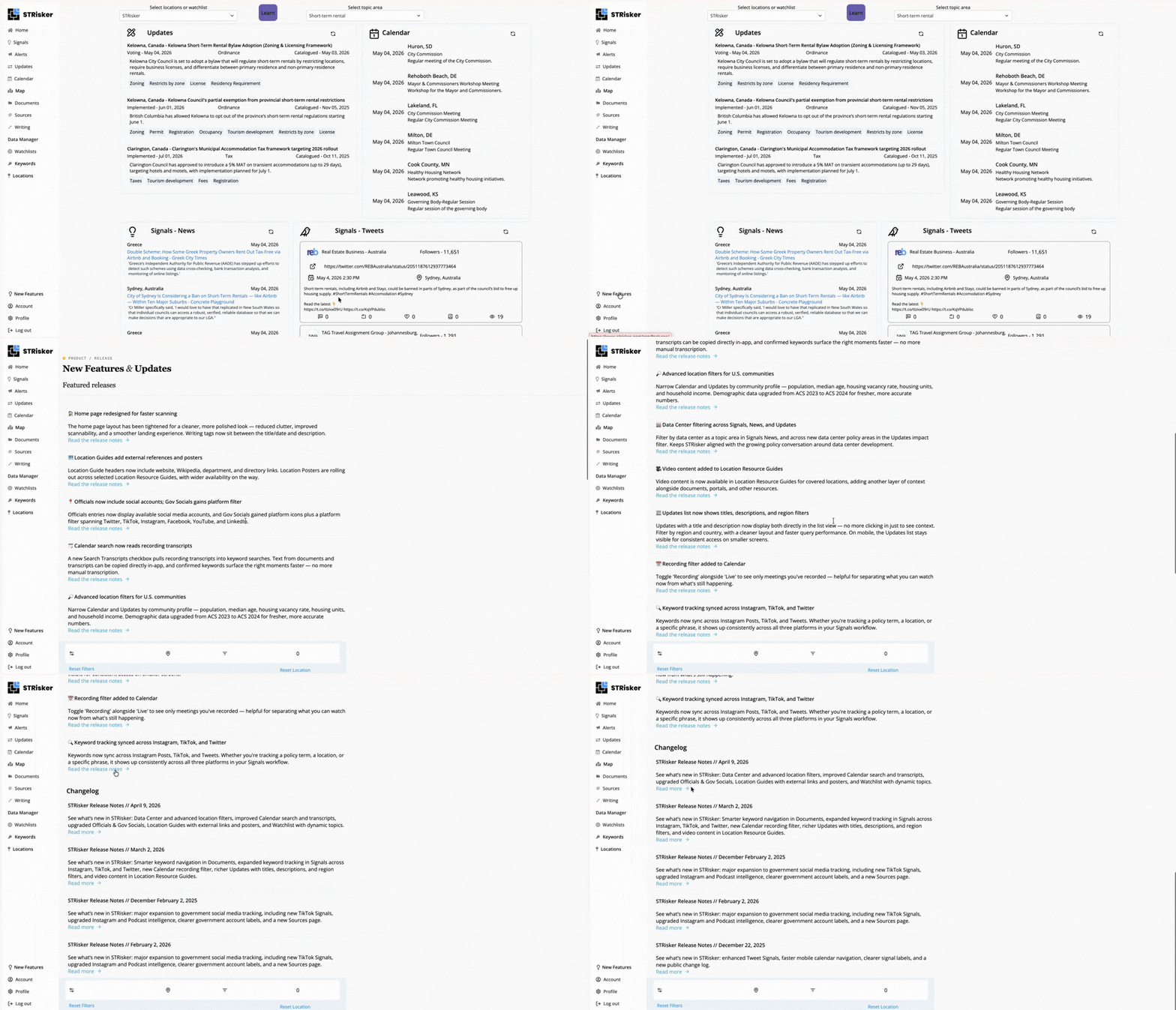
It's a convenient go-to spot if you want a quick but thorough look at what STRisker offers, and even more useful now with the pace of new releases and major updates picking up.
🟢 App Status Dashboard From Home
The live platform status and incident updates are now accessible in through Status in the page footer.
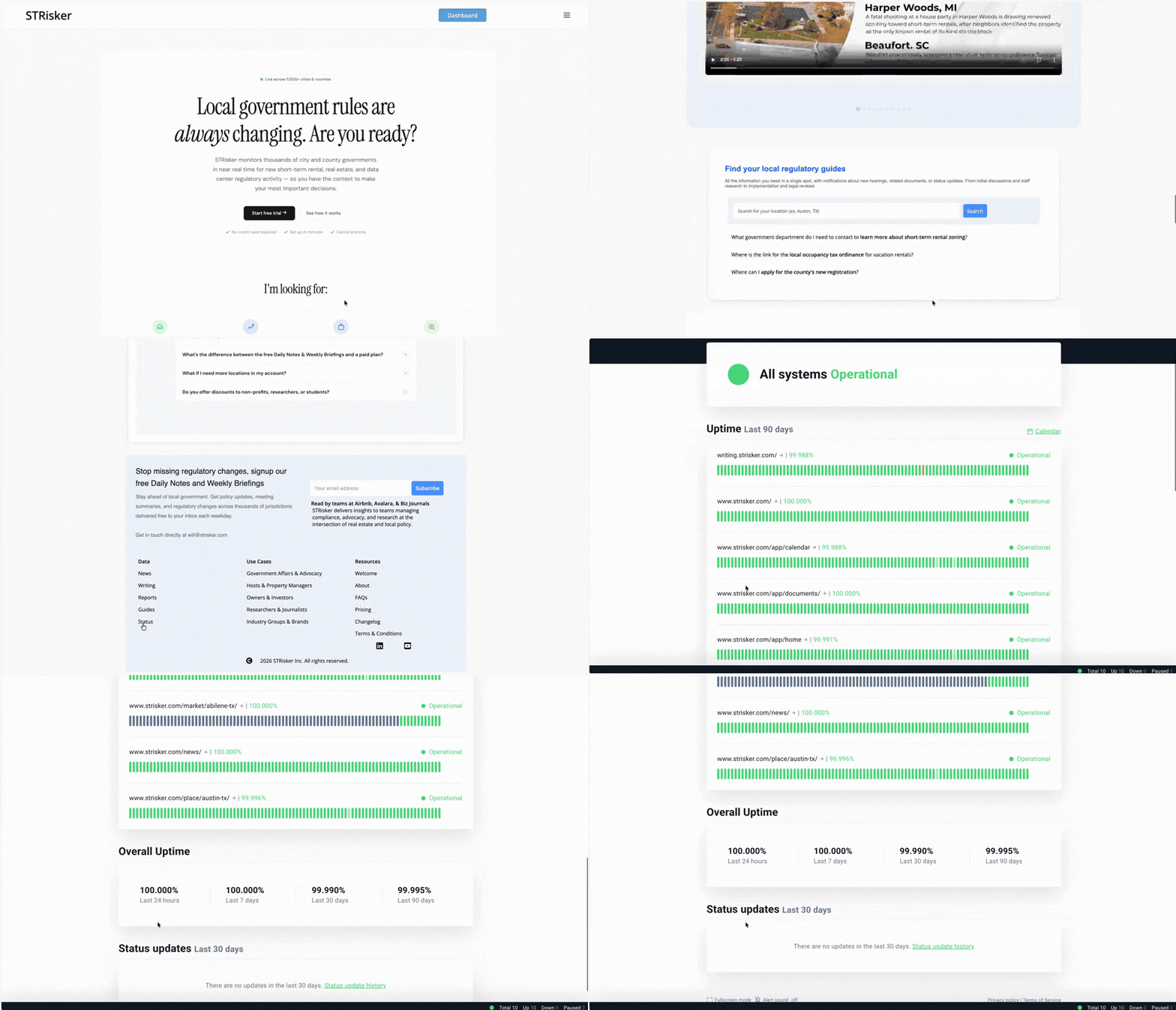
It links directly to status.strisker.com so you always have a place to check, whether something feels off or you just want to confirm the platform is running as it should.
More good stuff in this release:
STRisker App Status
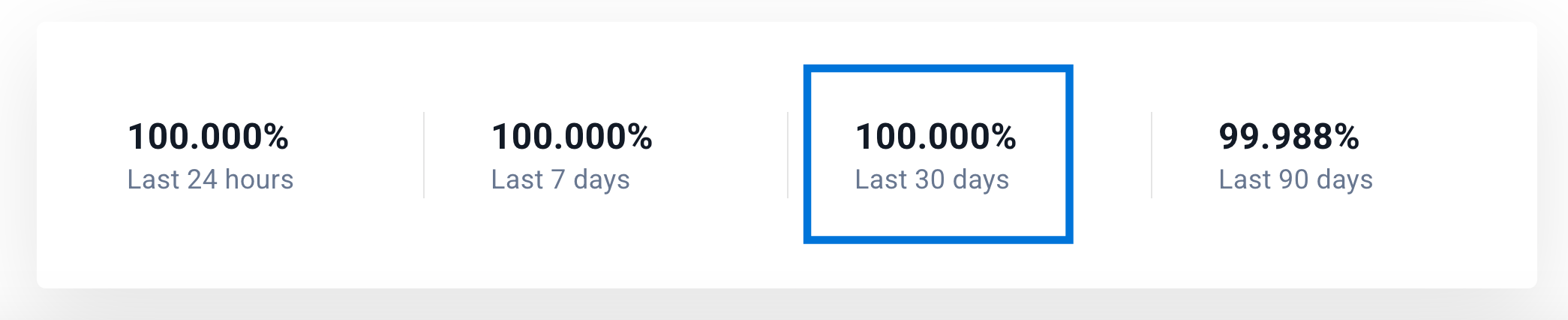
We're also rolling out this STRisker's uptime status section as now part of every release note! Here's the app uptime health over the past month:
We also have below the status of each of STRisker's monitored pages over the past 90 days.
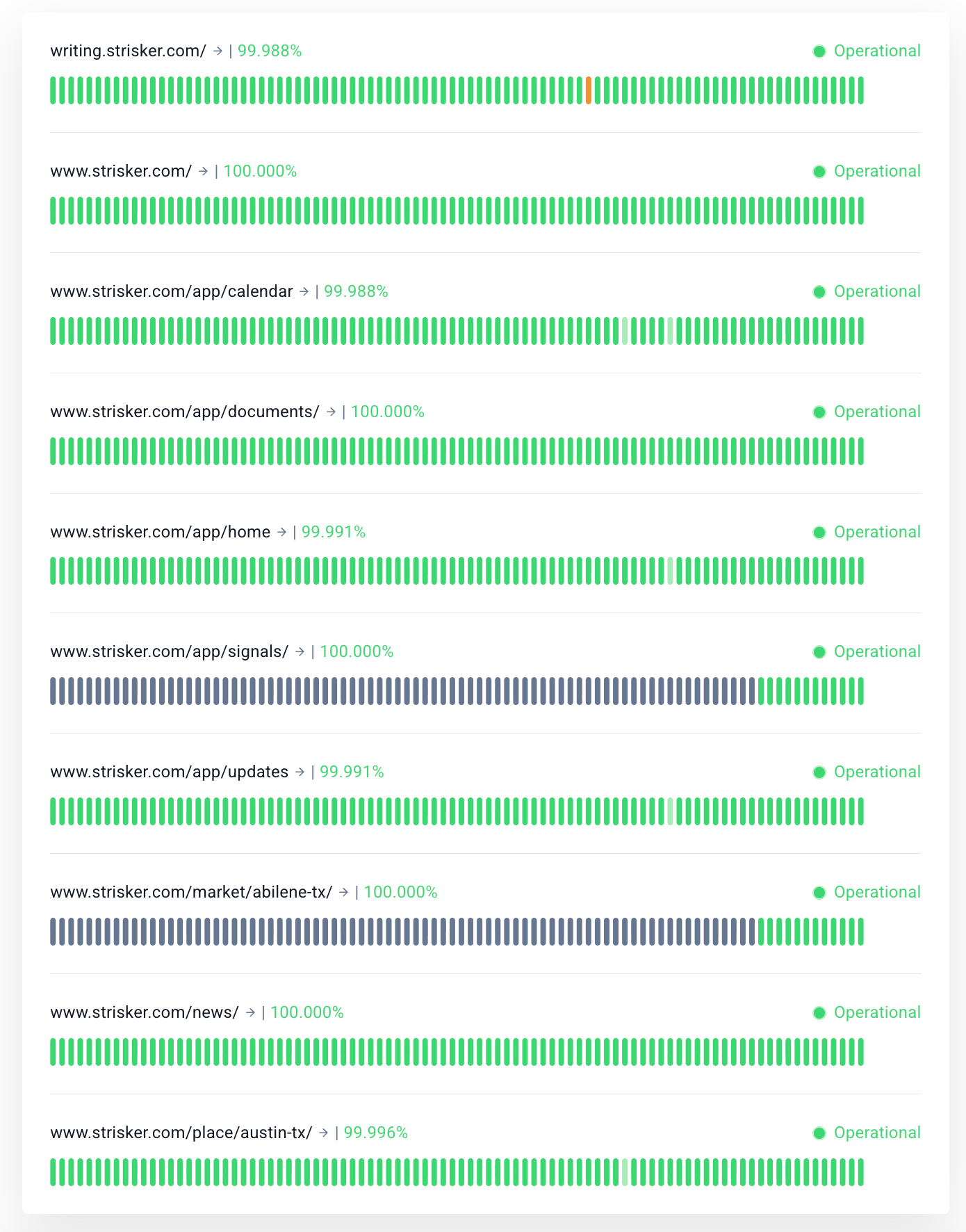
All pages are sitting at or very close to 100% uptime with several pages such as writing, calendar, home, updates, and a monitored location guides pages logging minimal downtime.
Overall, all monitored pages are operational and STRisker app has been running reliably across the board.
Stay Updated with STRisker!
STRisker offers tools and features to keep you updated with the Short Term Rental movement (and now Data Centers!) movement across the world.
📣 We’d Love Your Feedback
Tried one of the new features? Something not working like expected?
Reply to this update or drop me a note - will@strisker.com. We're listening.