
Strisker Release Notes // July 7, 2026
See what’s new in STRisker: Alerts on its own page; API Playground, Validate & Map; Signals watchlist filtering; Keywords better navigation; Podcasts with new filters; Social Signals improvements; and our move to Google Cloud.

Welcome to your roundup of the latest features and enhancements inside STRisker!
Here’s what’s new and improved to help you stay ahead of short-term and data center regulation changes.
Photo by Daniil Komov on Unsplash

At A Glance 🔽
- Alerts now a dedicated page with more customization
- New API Playground, Validate, and Map page
- Signals watchlist filtering now extends to FB, LinkedIn, and IG
- Podcasts in Signals and Sources introduced new filters and improved feed
- Social Signals in Location Guides got several improvements
- Backend infrastructure moved to Google Cloud 🚀
🔔 Alerts Just Got More Accessible
Alerts has moved out from under Profile and onto its own dedicated, easier-to-find page! You now get more control over how alerts are configured and can interact with a cleaner layout in a more central place in the app.
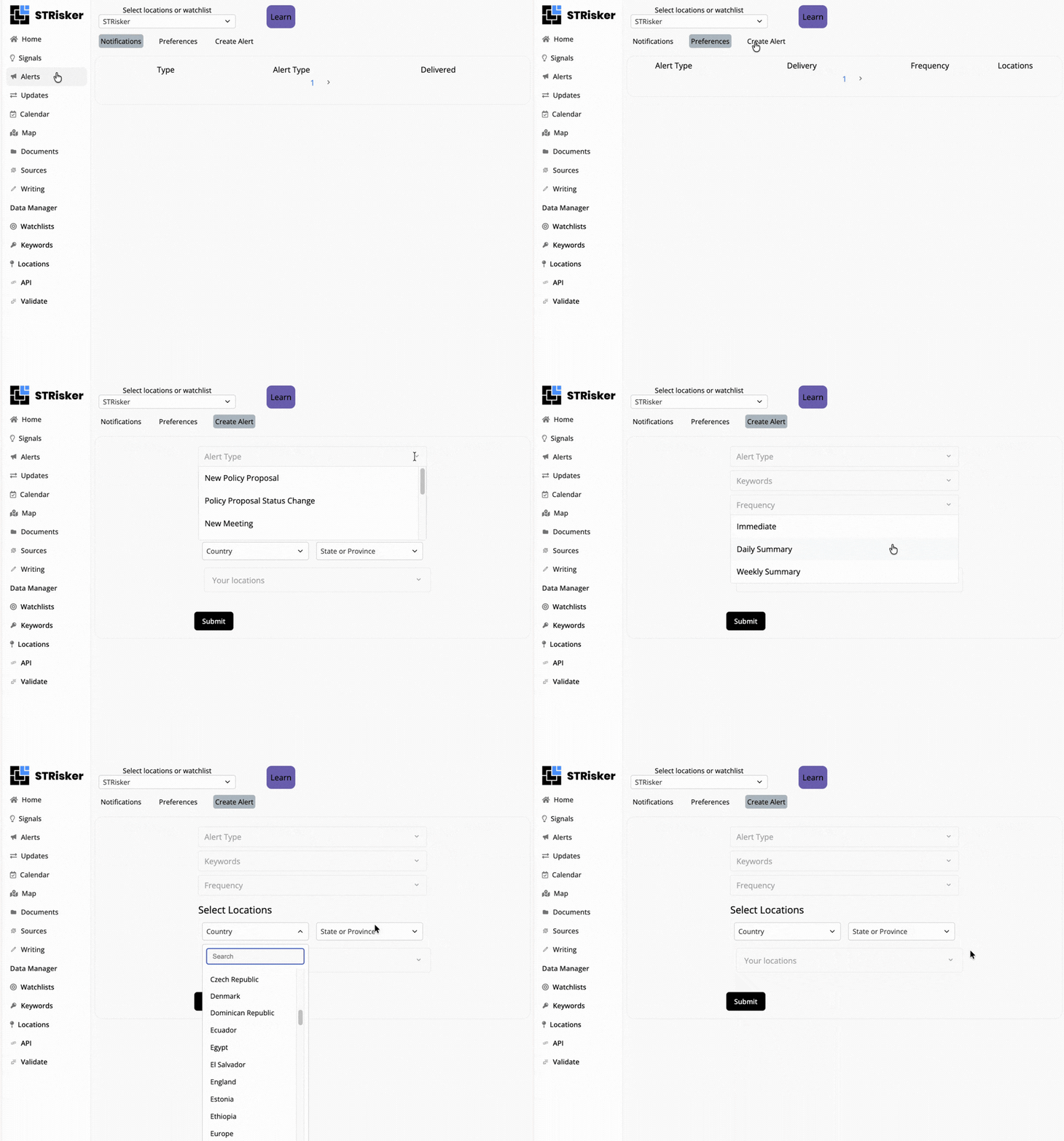
If you haven't set up alerts for your key markets yet, now's a great time to test out the new Alerts experience: Strisker Alerts →
🧪 New API Playground to Test Every Sources Endpoint
The new API Playground/Sandbox page lets you test the Strisker API directly from your browser across all Sources endpoints: portals, officials, offices, documents, and government social media.
A cURL command generator is built in with authorization info included in the output while documentation links are now surfaced right in the API header.
Whether you're integrating Strisker data into your own workflows or just exploring what the API returns, this is the fastest way to get started.
✅ New Validate Page for Field Checks and cURL Generator
The new Validate page is built for checking the accuracy and coverage of three key fields unit, registration, and listing_id.
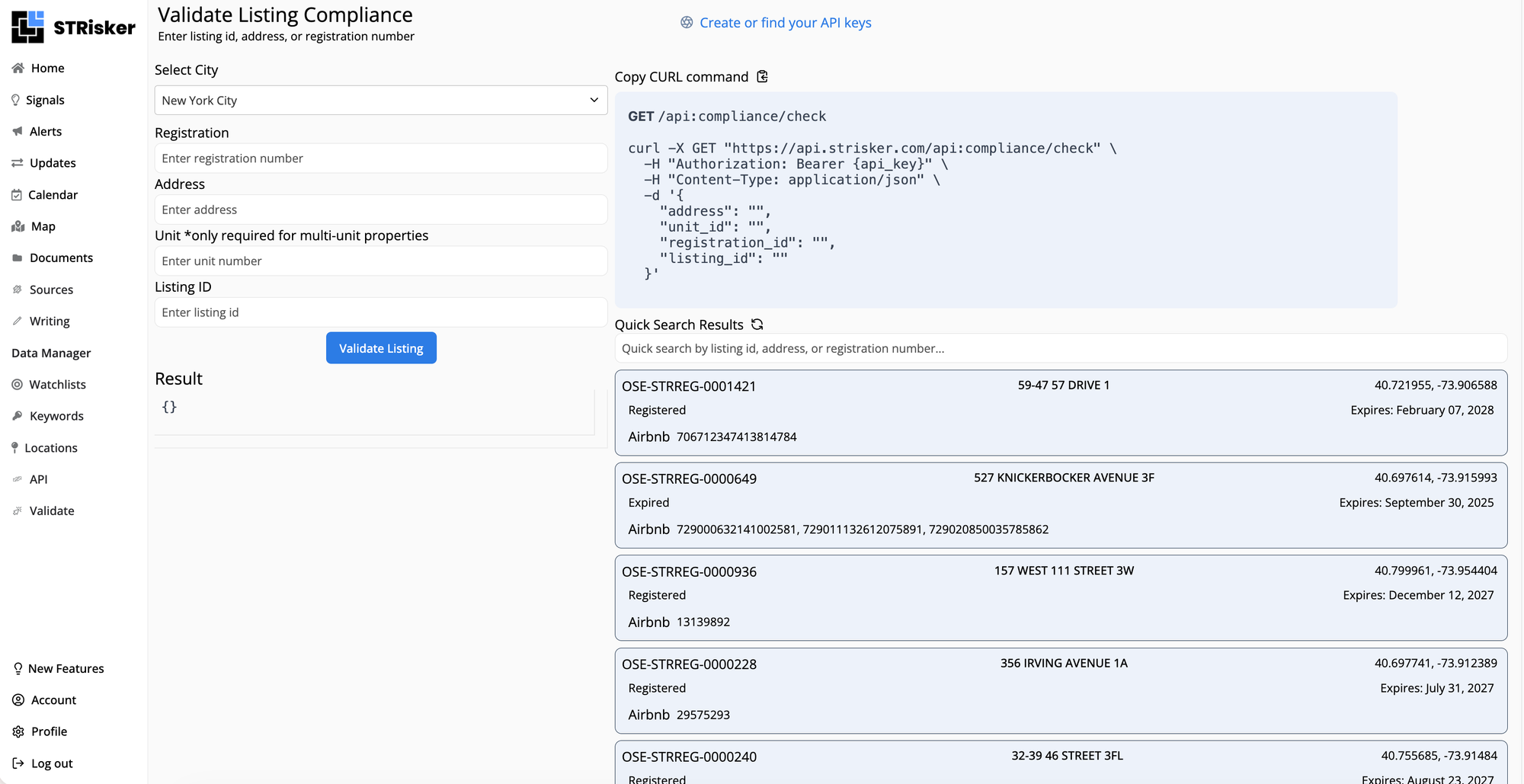
Each check is field-specific with a dynamic cURL command generator letting you run the same validation from your own environment and including authorization info in the output.
🗺️ Map Page is Now Live
You can now pull up a full view of STR and data center regulatory activity across the country and start exploring the markets that matter to you with the Maps page!
More improvements are on the way, so stay tuned.
📶 Signals Watchlist Filtering Now Across Facebook, LinkedIn & Instagram
The watchlist selector is now available in three more Signals channels: Facebook, LinkedIn, and Instagram.
Switch your watchlist and all three feeds update automatically so you're only seeing activity relevant to your markets.
🗝️ Easier Navigation in Keywords Manager
If you're managing a large keyword set, Keywords Manager now has pagination so you're not scrolling through an endless list.
There's also a new explainer that makes it clearer what keywords are being tracked and when they were last checked for a given account. The form for submitting missing locations was also updated.
🎙️New Filters, Richer Data in Podcasts
In Signals, Podcasts now has a filter to surface only episodes that mention a local government official! If a council member, mayor, or regulatory body head is being discussed on a Podcast covering your markets, you can now find those episodes in directly.
Podcasts in Sources also got some upgrades: text search is now live and you can filter by Region, Audience Reach Score, and Last Posted Date. On top of that, records now include a lot more detail such as categories, audience size, iTunes/Spotify ratings, region, and language.
📍Social Signals Levels Up
Logged-in users can now see LinkedIn and Facebook posts in the Social Signals section of Location Guides. Social Signals feed names also now show a strikethrough when there's no data to display so you can tell at a glance which feeds are coming up empty.
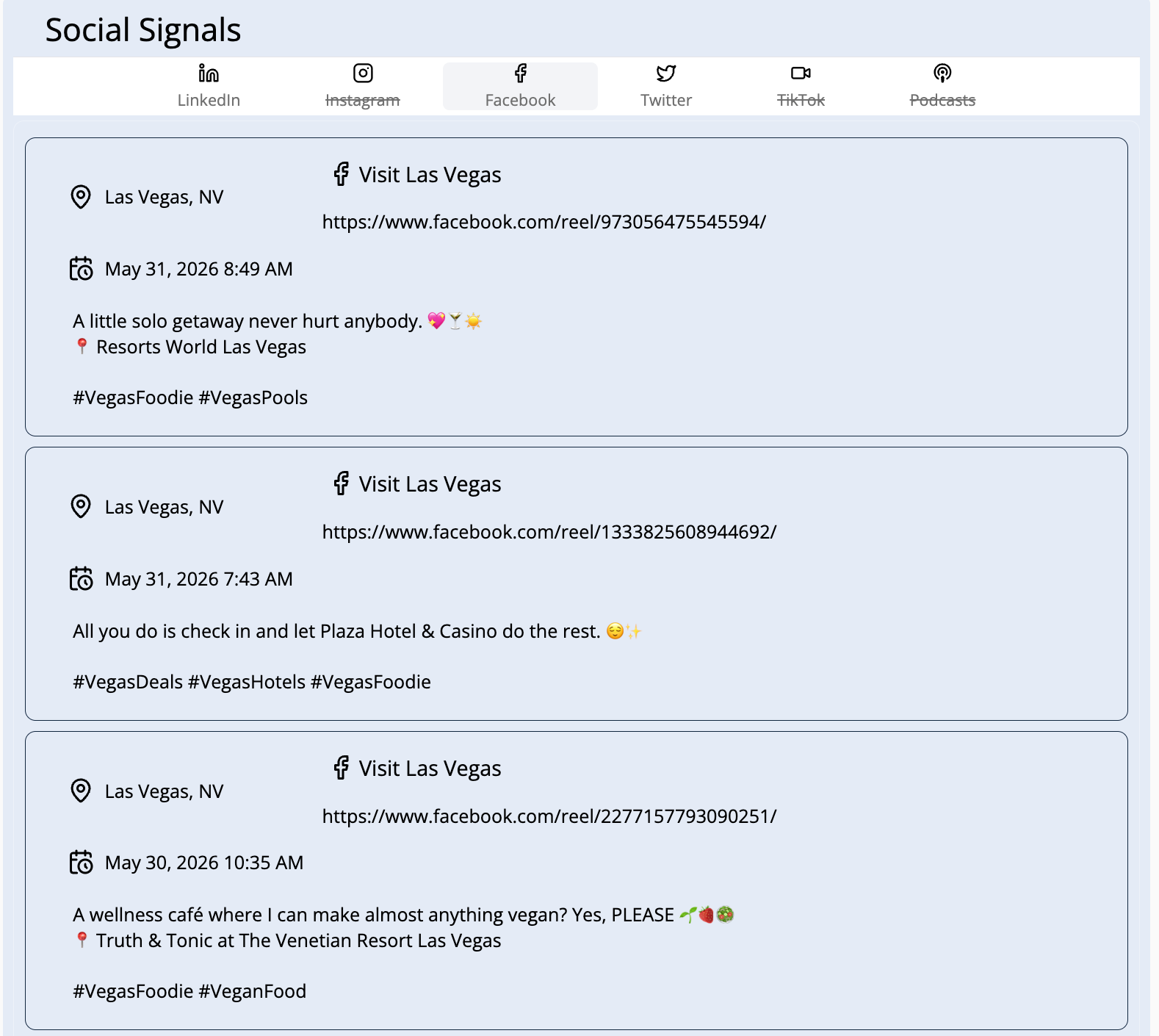
You can also now change the topic area to filter News, Tweets, TikTok, and Podcasts so your view adapts to whatever angle you're researching.
🚀 Big Move Ahead: We're Upgrading Our Infrastructure and Moving to Google Cloud!
We're moving our backend infrastructure from Amazon Web Services to Google Cloud as part of our ongoing technical roadmap.
Maintenance is scheduled for Wednesday, July 2nd from 7:00 PM CT (5:00 PM PT) with a 5-hour window to complete the move.
The platform may be unavailable during this time but we expect everything to be back up by 3:00 AM CT on July 3rd at the latest.
Also shipping in this release:
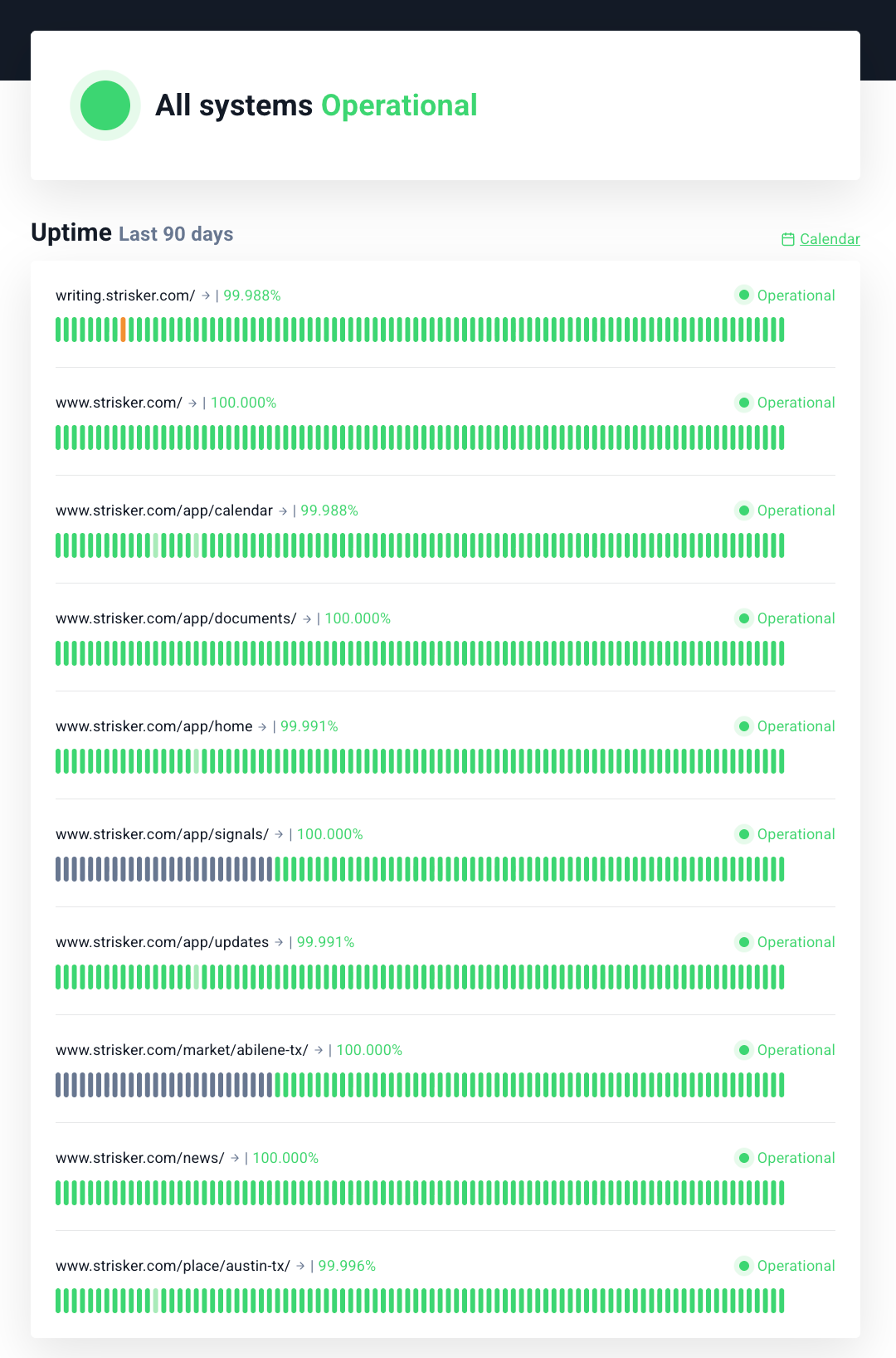
Strisker App Status
Strisker ran at 100% uptime through May and June, a clean sweep across the last 24 hours, 7 days, and 30 days.
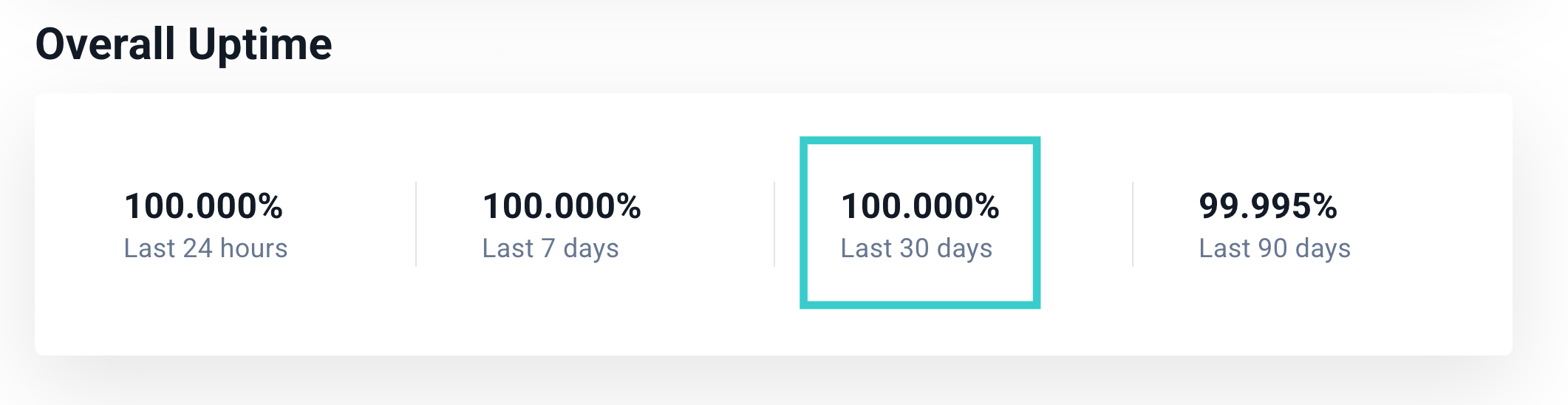
To sum it up, every monitored page has been fully operational.
Catch up on previous release notes:
 Jasmine Ruth Albatana
 Jasmine Ruth Albatana
 Jasmine Ruth Albatana
Stay Updated with STRisker!
STRisker offers tools and features to keep you updated with the Short Term Rental movement (and now Data Centers!) movement across the world.
📣 We’d Love Your Feedback
Tried one of the new features? Something not working like expected?
Reply to this update or drop me a note - will@strisker.com. We're listening.